Blog › Filming
How to film a basketball match
A gym combines the three things a phone hates: little light, lighting that pulses a hundred times a second, and no room to back off. None of the three can be fixed in editing, but two free settings sort out most of it.
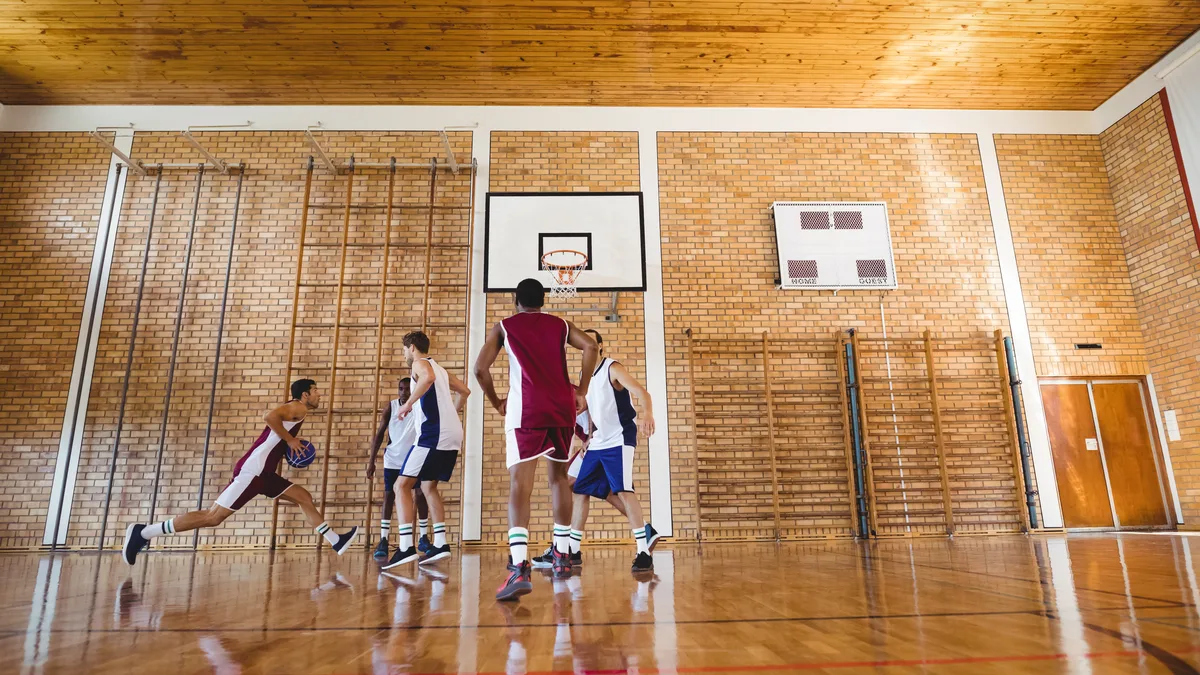
Advice on sports filming almost always assumes an outdoor pitch. Indoors, half of it no longer applies. A basketball coach who follows a guide written for football to the letter gets a dark, grainy image crossed by rising bands, and concludes that their phone is bad. It is fine: its settings are wrong for an environment that has nothing in common.
What follows applies to basketball, and in the same way to handball, volleyball and floorball: the three difficulties of a gym are the same, and only the positioning changes from one court to another.
What to film with: the phone you have
The question always comes first, and the answer disappoints: a recent phone placed on a tripod does the job, indoors as outdoors. Framing and stability limit how readable a match is, and the sensor matters less. An action camera, often cited for this kind of use, is the worst choice here: its very wide lens distorts the edges, which falsifies exactly what you want to read, the distances between players.
The only purchase that changes anything is what holds the device: a stable tripod and, in the stand, a clamp. The rest, an external battery and a cable, is there to last the duration and does not improve the image.
What really changes between a pitch and a gym
Three differences, in order of importance.
- The light. A well-equipped hall is still dozens of times darker than a pitch on an overcast day. The sensor compensates by raising sensitivity, and therefore noise.
- The lighting pulses. Mains-powered fluorescent tubes and LED floodlights switch on and off a hundred times a second. The eye does not see it, the sensor does.
- There is no room to back off. On a pitch, you move away. In a gym, the wall is three metres behind the stand, and that is all you will have.
Some good news in compensation: a gym is small. Where an eleven-a-side football pitch often forces two devices, a basketball, handball or volleyball court fits entirely in a single frame, from the right place.
Rolling bands: a question of frequency
This is the most reported flaw, and the easiest to fix. In Europe, the current alternates at 50 Hz: the light reaches its maximum a hundred times a second. If the camera shoots at a rate that does not line up with this beat, each frame is exposed slightly differently, hence the horizontal bands, or a general pulsing of the brightness.
Two settings are enough, and they are free:
- Film at 25 or 50 frames per second, not 30 or 60. The values 30 and 60 come from countries on 60 Hz, and that is exactly the wrong choice here. On recent iPhones, the setting is in Settings, Camera, Formats, by turning on the PAL formats. On Android, the option appears directly in the list of frame rates in the camera app.
- Or lock the shutter at 1/50 or 1/100 s if your app offers a manual mode. Many Android apps also expose a setting called "anti-flicker" or "light frequency": setting it to 50 Hz does the same job.
A dark image cannot be fixed by raising the resolution
The reflex is to switch to 4K, telling yourself you will get "more detail". Indoors, it is the opposite: each pixel receives less light, noise increases, and the file doubles in size for a tactical reading that gets nothing out of it. 1080p is the right format, indoors even more than elsewhere.
What really helps, on the other hand: locking the exposure. A long press on the focus point freezes it (iPhone and Android alike). Without this lock, the image "pumps" every time a white shirt or the scoreboard crosses the frame, and an entire sequence becomes unusable while the camera looks for its setting.
One last point: clean the lens. It is ridiculous to write, but in low light a fingerprint turns every floodlight into a halo, and it is the number one cause of "hazy" images that get sent to me.
Where to sit: the middle of the length, as high as possible
The rule is the same as outdoors, and the stand finally makes it easy to apply: the middle of the long side, as high as possible. The back row of a set of bleachers, or better a balcony, gives exactly the angle that lets you read the spaces. Behind a basket or behind a goal, you can no longer read anything: depth flattens everything.
Basketball
Twenty-eight metres by fifteen: a single device covers the whole court from the middle of the length. Frame to keep both baselines, without useless margin at the ceiling, as the top third of a basketball image often contains only roof structure.
Handball
Forty metres by twenty: it is the most demanding of the three. If the stand is low and close to the line, one device cannot hold the whole length without squeezing the farthest players. This is the case where two phones side by side, each on one half, are justified, and TactiCam then stitches them into a single wide image.
Volleyball
Eighteen metres by nine, but with a trap: the net cuts the court in two and, seen from too low, hides the opposing half. Height is not a comfort here, it is the condition for seeing the opposing reception.
The tripod in a stand
Many halls forbid extended legs in the bleachers, and they are right: a tripod in a walkway is an accident waiting to happen. Two solutions that work everywhere: a clamp fixed to the railing or the back of a seat, or a tabletop tripod placed on the balcony wall with the strap passed around the railing.
Warn the person who runs the hall beforehand, not during. A setup that has been announced is accepted in almost every case; the same setup discovered at kick-off gets moved at the worst moment.
Plan for no network
Gyms are often in basements or surrounded by concrete: 4G drops to nothing there and the wifi, when there is any, is reserved for administration. Filming that requires a permanent connection stops at the first gap. Check before the season, not on match day, that your method works offline and only sends afterwards.
This is how TactiCam works: clips are saved on the phone and sent when the network returns. If you use something else, run the test in airplane mode, as many live capture apps do not survive it.
Frequently asked questions
Why does my image flicker only indoors?
Because artificial lighting pulses at the rate of the mains, 50 Hz in Europe, whereas daylight is continuous. Filming at 25 or 50 frames per second, or locking the shutter at 1/50 or 1/100 s, makes the effect disappear.
Should you film at 60 frames per second for slow motion?
In Europe, prefer 50 frames per second: the rate is just as high, and it is compatible with the beat of the lighting. Keep it for technical movements; to read collective positioning, 25 frames per second are enough and the file is half the size.
Is a single phone enough for a handball court?
From a high stand placed in the middle of the length, yes in most halls. From a low set of bleachers close to the touchline, no: the frame needed distorts the distant players too much, and two stitched devices give a much better result.
Do you need a microphone to pick up instructions?
No, and it is a pointless expense: a hall resonates, the crowd covers everything, and a coach's voice at fifteen metres stays unintelligible even with an external microphone. What you want to read on a video from indoors is visual.
By sport: Basketball · Handball · Volleyball
Read next
A hall with no network, clips all the same
TactiCam records on the phone and sends when the connection returns. Two devices can cover a large pitch and be stitched together automatically. 14-day trial, no bank card.